
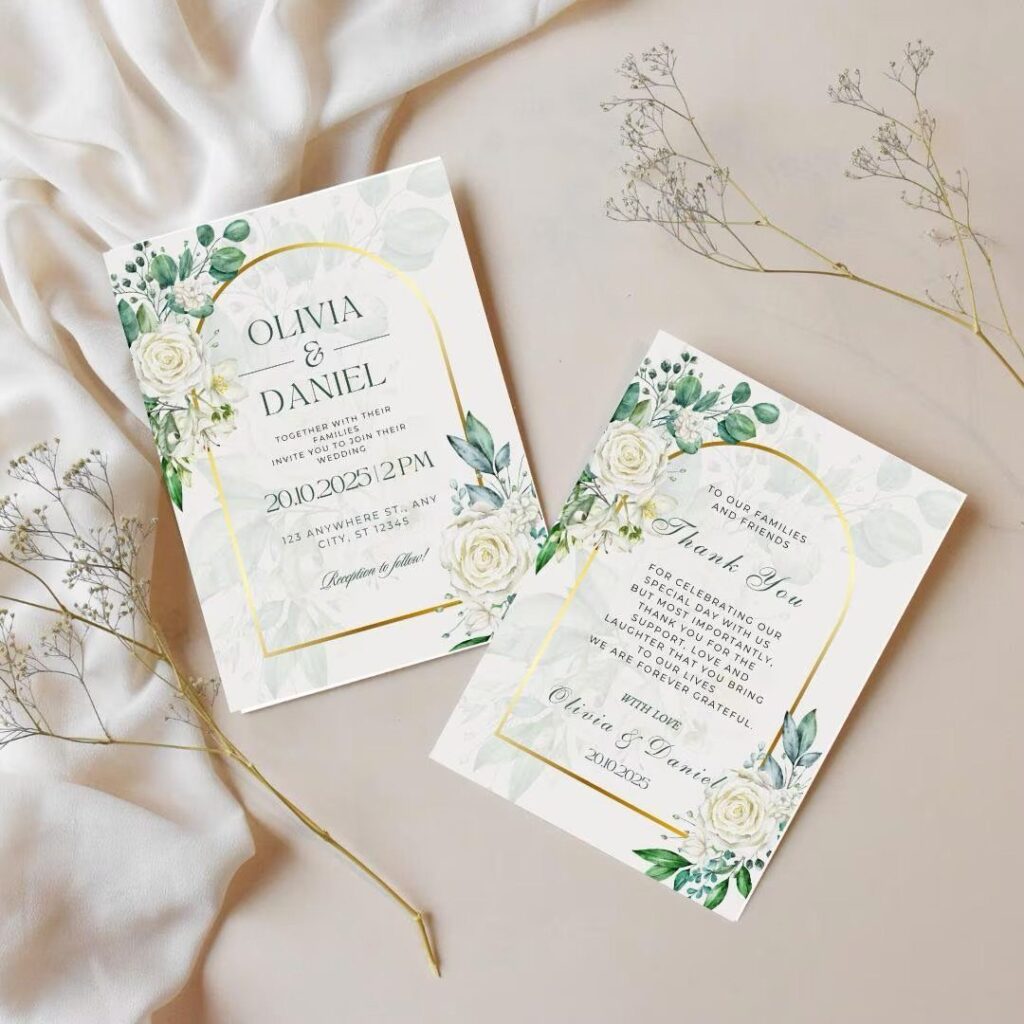
Templates range from a simple bordered card you can edit at home to a full matching suite, and the right one depends on whether you need just the invitation or coordinated pieces for your entire wedding day.
A QR code linking to your wedding website cuts down on lost RSVP cards and gives you real-time responses.
1. Modern and Simple Designs
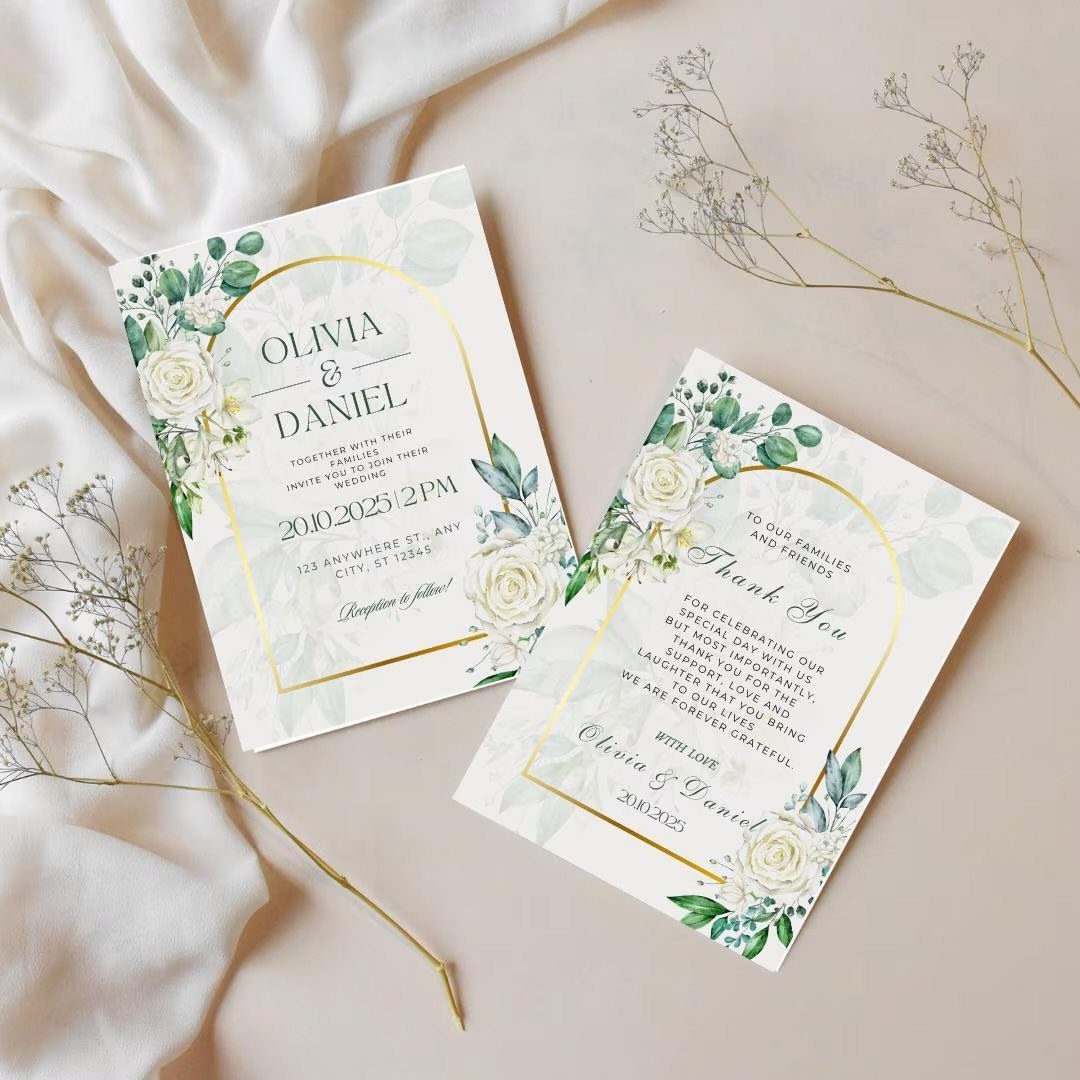
A clean white card with narrow borders and a restrained floral accent keeps the focus on your names and the date. The simplicity makes room for the font to do the work.
Over 130 typefaces means you can match the invitation to the rest of your day without designing from scratch. A serif font reads formal, a sans-serif feels modern, and a script can go either way depending on weight and spacing.
If you already know your color palette, pick a border or corner detail that echoes it. The rest stays neutral.
2. Customizable Wedding Invitation Templates
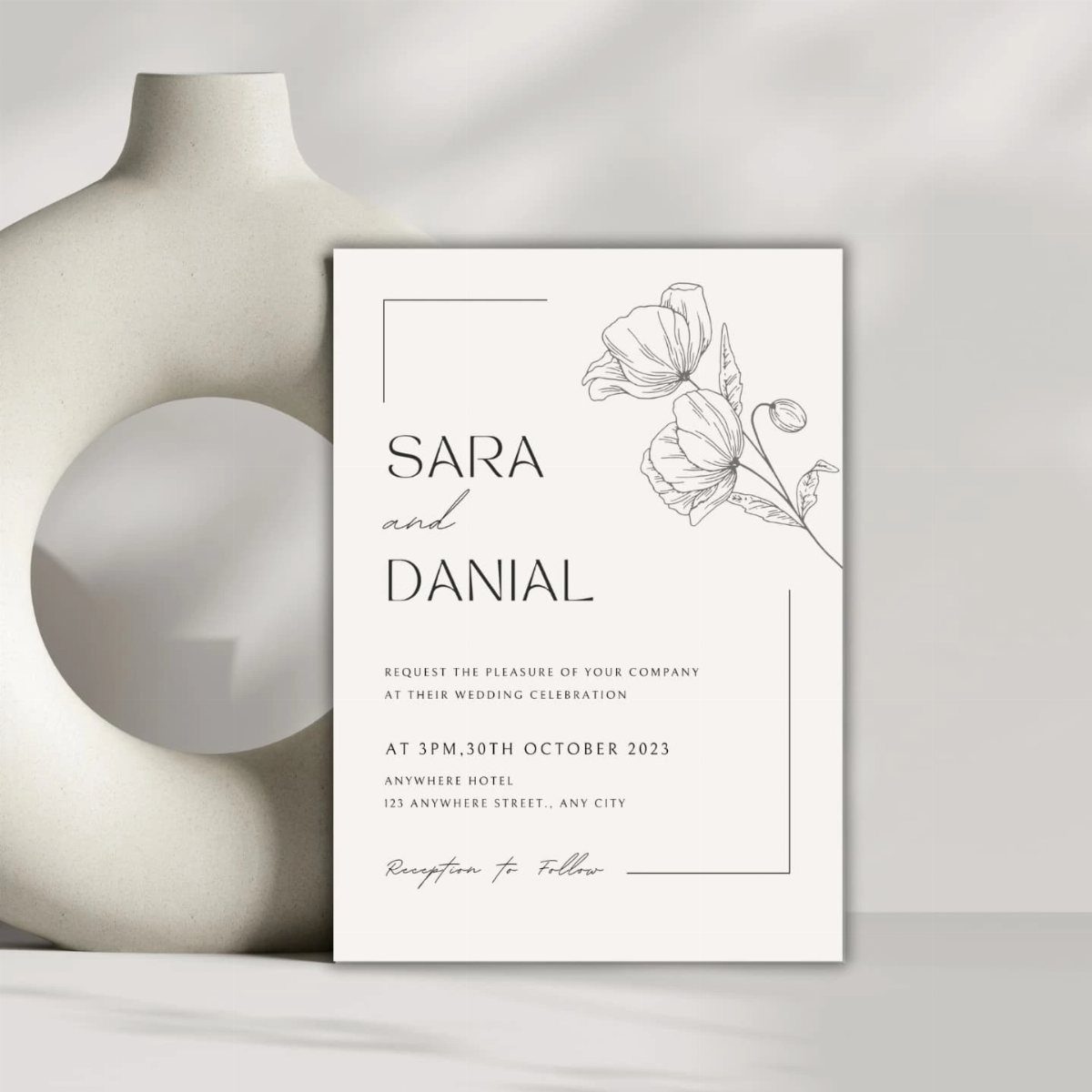
Templates let you swap fonts, adjust colors, and rearrange text blocks without hiring a designer. Most platforms let you preview changes instantly, so you can see whether a layout works before you commit to printing.
The template’s design details scale well across your entire wedding suite: you can mirror the same layout and styling on your programs, menus, or thank-you cards by downloading the same file.
Look for templates that export print-ready PDFs. If the format locks you into one vendor, check their turnaround time and shipping costs before you start editing.
3. Matching Wedding Invitation Kits
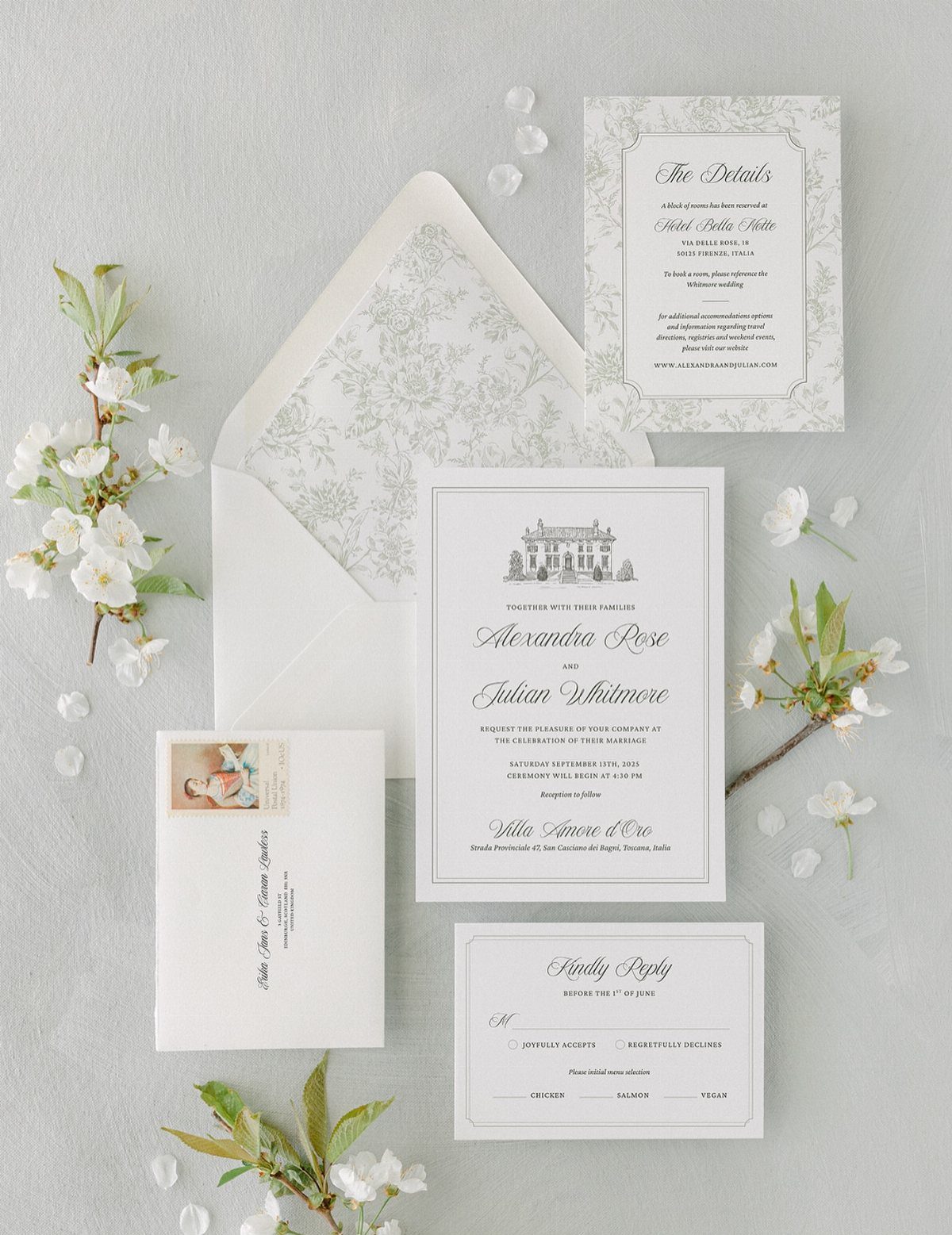
A matching kit bundles your invitation, details card, RSVP, and envelope liner in one cohesive design. The floral pattern runs across every piece, so your guest opens a set that feels intentional rather than patched together.
Kits save time because the layout and colors are already coordinated. You fill in your text, approve the proof, and the whole suite prints at once.
The lined envelope is optional but worth it if your budget allows. It finishes the presentation and protects the cards from postal scuffing.
With Canva’s wedding invitation kit maker, you can create a matching and cohesive set of invitations, RSVP cards, Save the Date cards, Wedding Itineraries, Thank You cards, and more to send out to your guests in one convenient design platform.
— Canva
4. Photo Invitation Cards
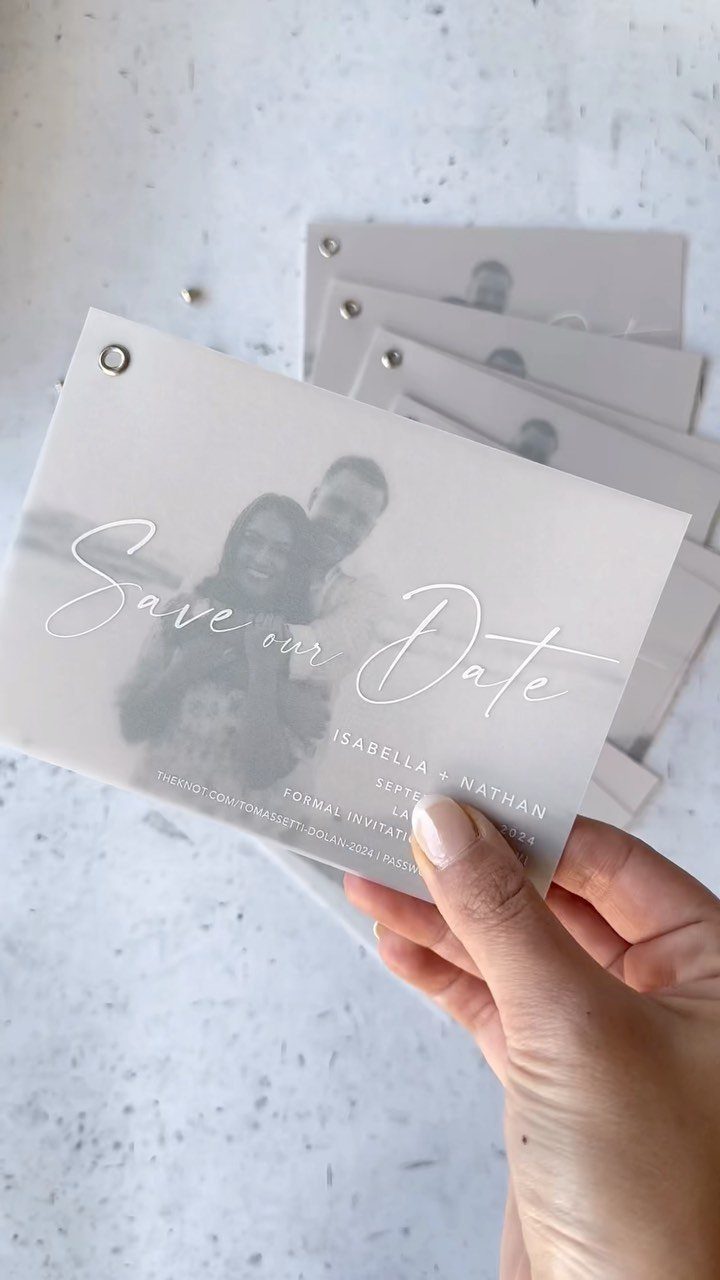
Your engagement photo or a candid shot from the proposal becomes the invitation itself.
A busy scene competes with the text; a clean backdrop lets both the photo and your details read clearly.
Include your wedding website URL below the date so guests can find logistics without a separate insert. Print samples before you order the full run to check whether the photo exposure needs adjustment.
5. Wedding Invitation Templates with QR Codes
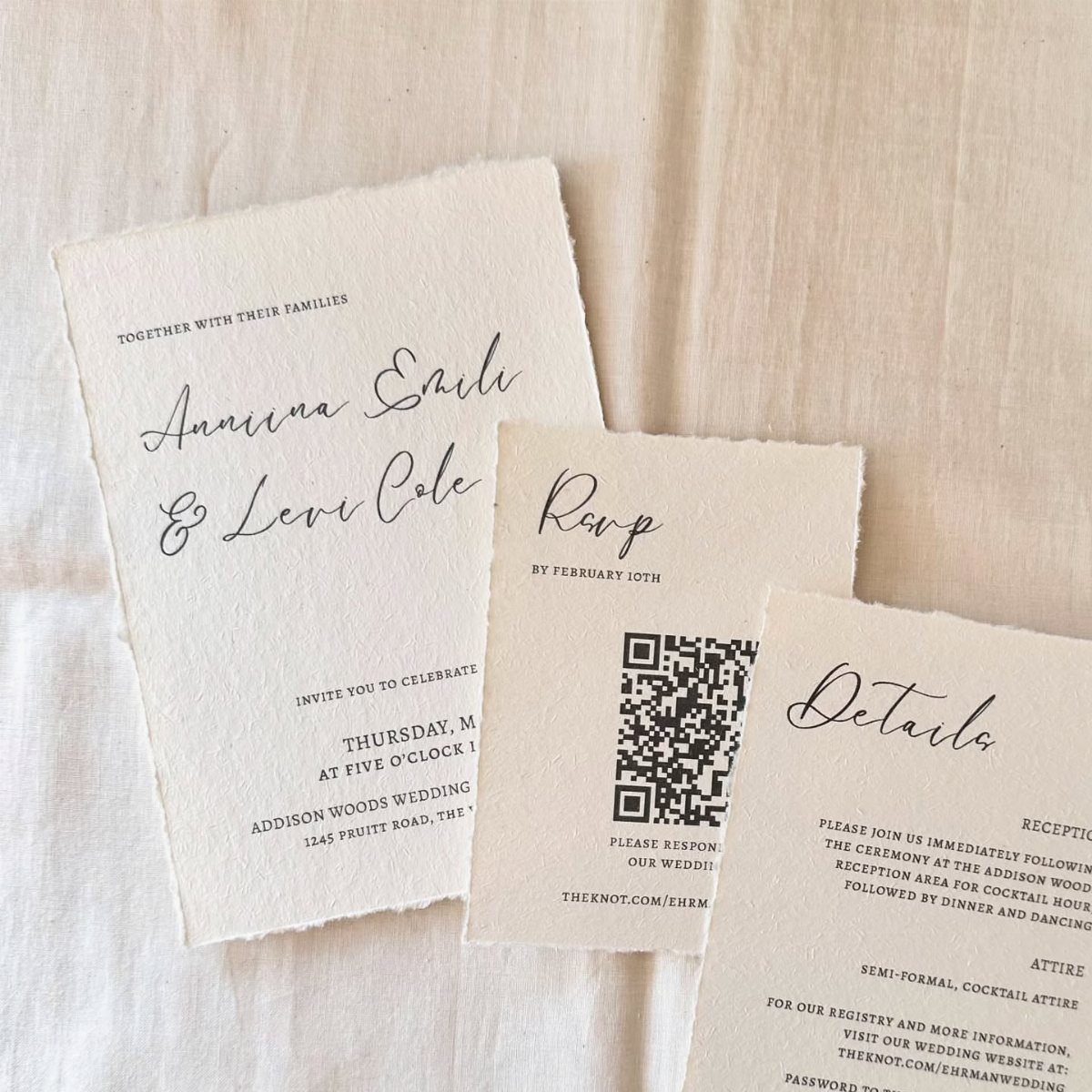
A QR code on the RSVP card links directly to your wedding website, where guests can confirm attendance, select meal preferences, and add song requests. It cuts down on lost reply cards and gives you real-time responses.
The code sits in the corner or at the bottom of the card, small enough that it does not interrupt the design. Most template platforms generate the code for you once you paste in the URL.
Order a test print to make sure the code scans cleanly. If it fails, the box may be too small or the contrast too low.
6. Printed Samples of the Wedding Invitation
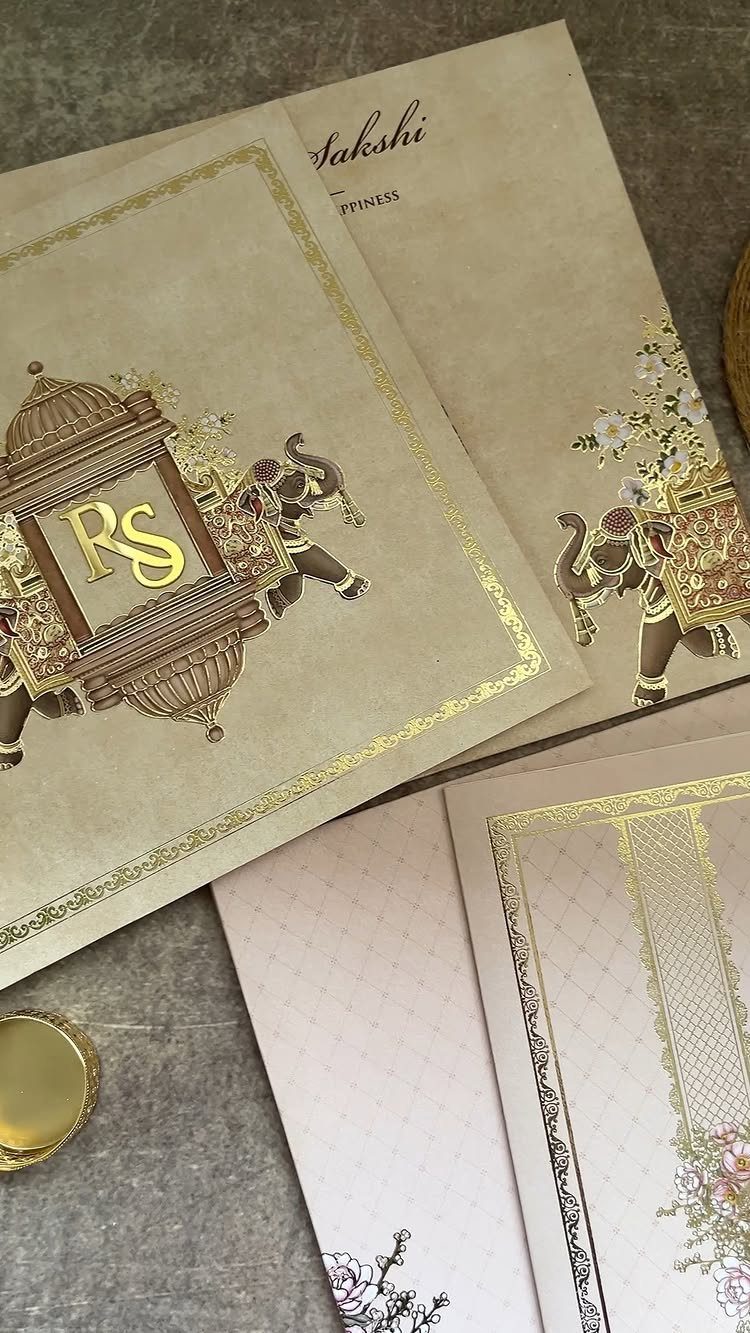
A printed sample shows you exactly what the foil stamping, paper weight, and color saturation will look like in hand.
Gold foil looks different on screen than it does on cardstock, and a sample lets you adjust before printing the full order.
Check the paper texture, how the ink sits on the surface, and whether the fold is crisp. If the colors feel off, request a different cardstock or adjust the file before you approve the final proof.
7. Traditional Indian Wedding Template
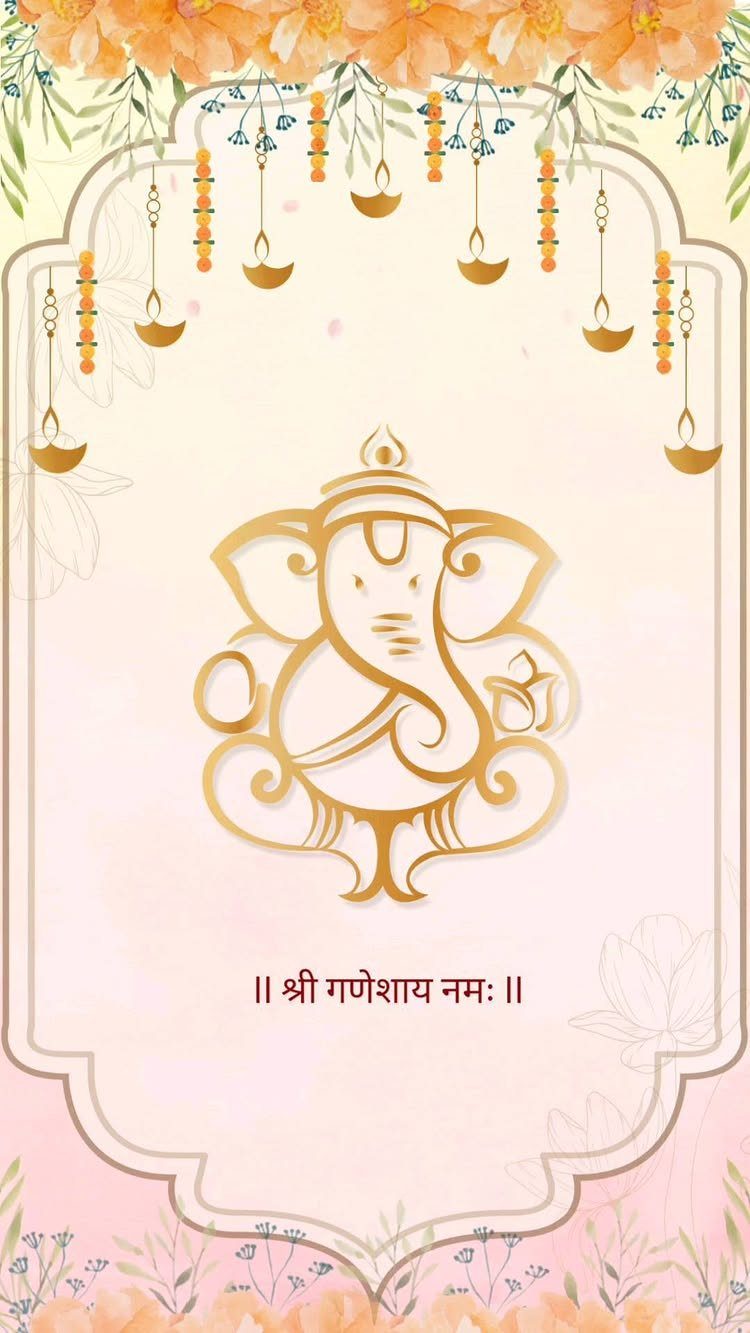
The Ganesha motif centers the invitation and signals the traditional blessing before the ceremony begins. The oil lamps and floral border frame the text without crowding it.
Templates like this one let you edit the event details and timing, and the religious imagery stays intact. If you are printing at home, use cardstock heavy enough that the gold ink does not bleed through.
A digital version works for guests who will access the invitation on their phones. Save it as a PDF and send it as an attachment or upload it to your wedding website.
8. Islamic Mosque Silhouette Template
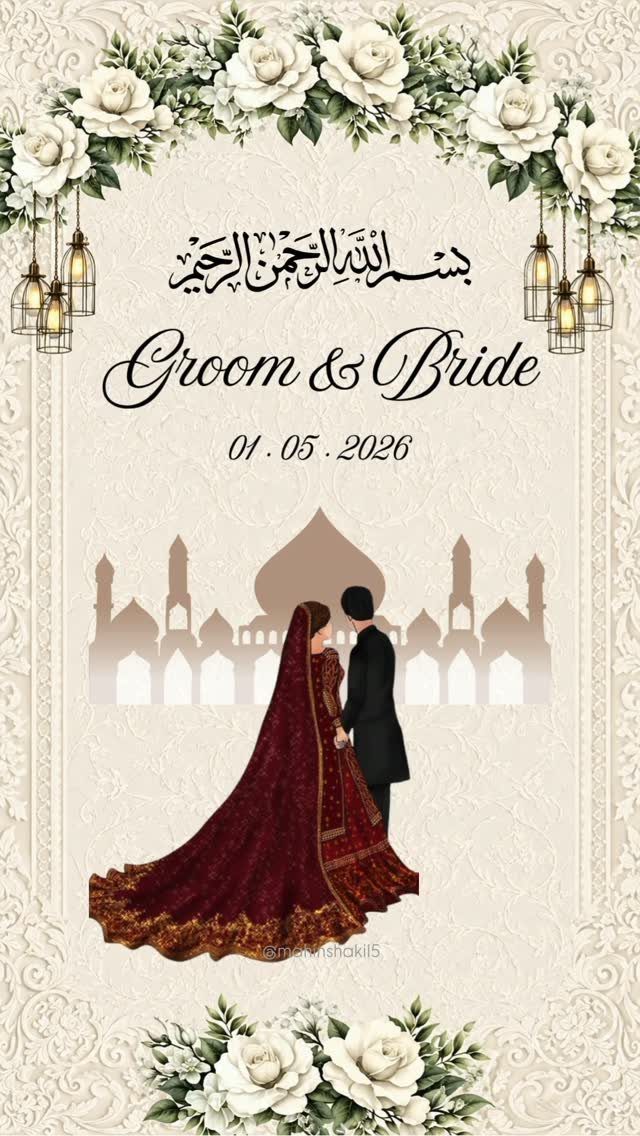
The mosque silhouette anchors the design and establishes the ceremony’s setting. The illustrated couple in traditional attire personalizes the invitation, and you skip the real photo.
Arabic calligraphy at the top or along the border adds formality. If your template includes editable text fields, you can swap in your names and wedding date while leaving the artwork untouched.
White roses soften the architecture and balance the heavier elements. This layout works whether you print it on matte cardstock or send it digitally.
9. Floral Frame Invitation Template
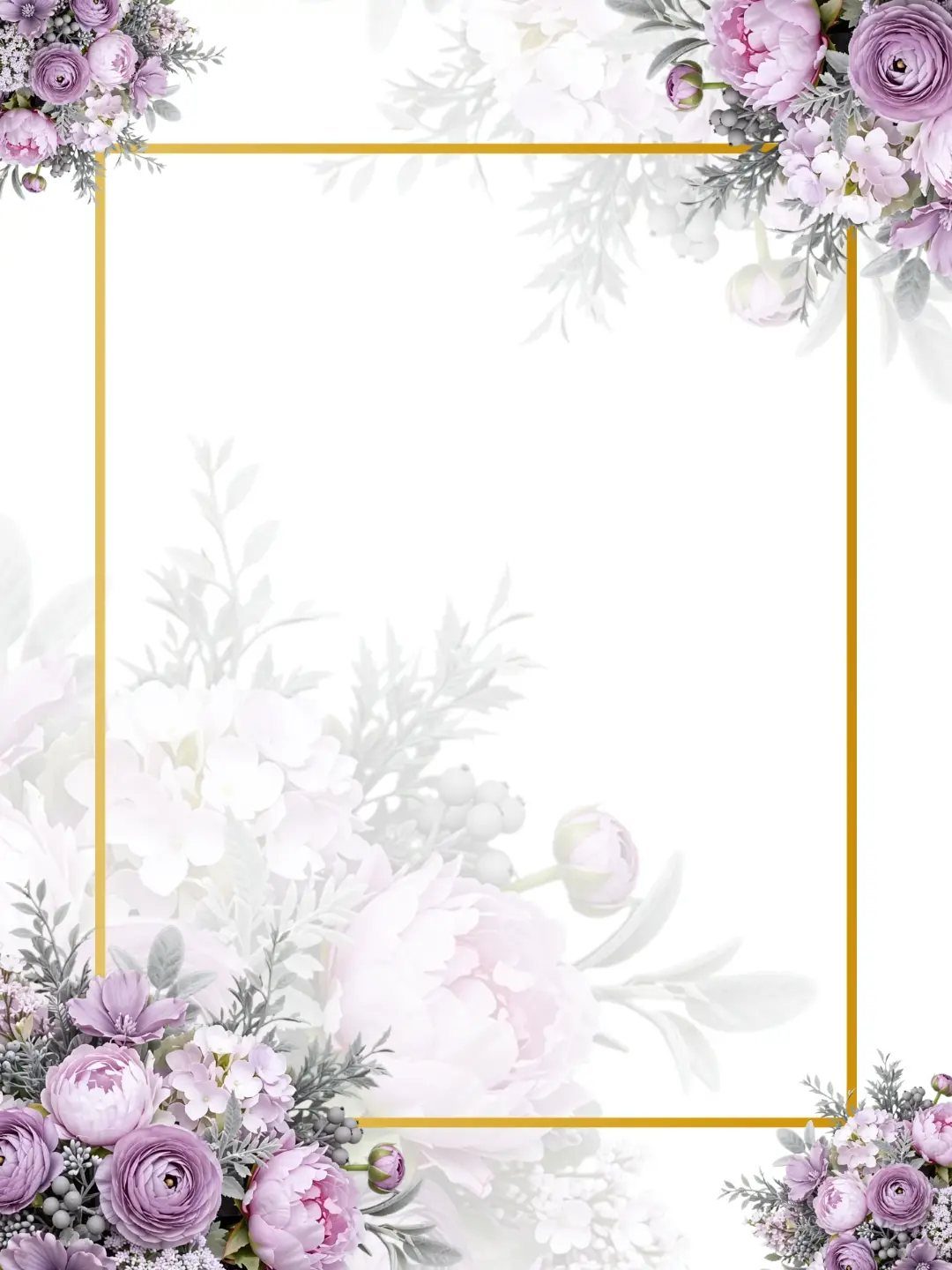
A blank frame lets you drop in your own text block, monogram, or photo without starting from scratch. The watercolor florals stay in the corners, so the center remains open for whatever layout you need.
This template scales across your full suite. Use the same floral border on your programs, menus, and place cards to tie everything together.
Print a test page to check whether the gold foil reads clearly against your cardstock. If the frame edge looks too thin, increase the stroke weight before you order the full run.
10. Round Embossed Invitation Cards
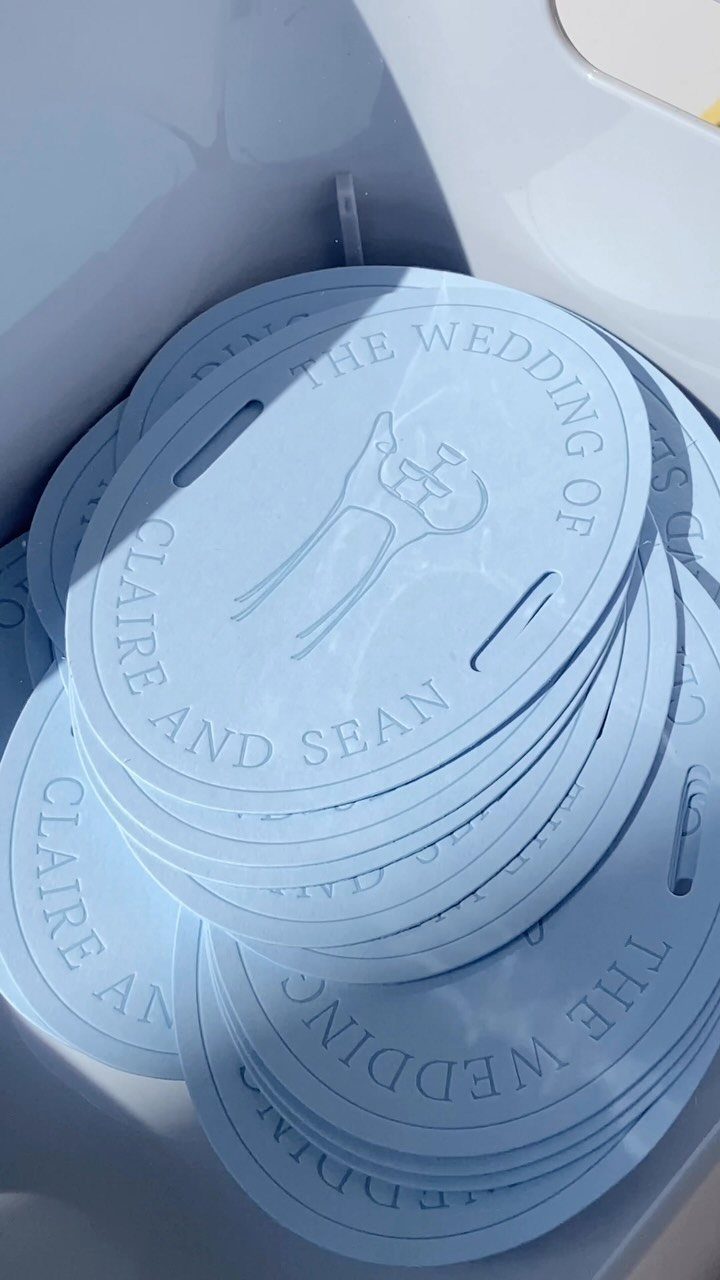
A circular card stands out in the mail and fits neatly into a square envelope. The embossed line art and lettering give the invitation texture you can feel, which a flat print cannot match.
Request a sample to confirm the deboss depth and check whether the cardstock weight supports the impression without warping.
Light blue keeps the look soft, but embossing works on darker cardstock if you want more contrast between the raised image and the background.
Benefits of Using Templates
Home printing sounds cheaper until you add up the ink, paper, and envelopes at retail prices.
A hundred full-color invitations will drain multiple cartridges, and most home printers cap out at 70lb cardstock. Commercial printing gets you 110–120lb stock, which feels more substantial in hand and holds embossing or foil stamping if you add it later.
Double-sided printing at home usually means feeding each sheet twice and hoping the alignment holds. Templates paired with a print service skip that step entirely.
Trimming two invitations per 8.5" x 11" sheet by hand adds hours to the project. Templates sized to standard dimensions print one per sheet and arrive finished.
Design Flexibility
If the frame or border already works, you can change just the palette to match your florals or bridesmaid dresses.
Over 130 fonts means you can test a serif against a sans-serif or script without redrawing anything. The preview updates instantly, so you know whether the weight and spacing read clearly before you commit.
Stock libraries include over 1 million images and illustrations if you need a different floral accent or a graphic that fits your venue. Traditional to modern designs cover different cultures and wedding themes, so the starting point already reflects your style.
User Experience
Platforms built for templates use drag-and-drop editing and live previews, so you see the change as soon as you make it. No design software to learn, and no layer panel to navigate.
Text fields, color pickers, and font menus sit in one sidebar.
You click, type, and move on. If a layout does not work, you can switch templates and carry your text over without retyping.
The interface assumes you have never designed an invitation before. Instructions, if they appear at all, are a sentence or two, because the controls do what they look like they should do.
Frequently Asked Questions
Can I download my invitation for free?
Some platforms let you download templates at no cost.
Invitation Bazaar offers free downloads without watermarks once you edit the details. You still pay for printing when ordering physical cards, but the digital file itself can be free.
Is it possible to upload HD photos to the invitation?
Most customizable templates accept high-resolution photos.
You upload your engagement shot or candid image and the platform scales it into the layout. Templates built for full-page or wide photos show the image at its best quality without pixelation.
Can I send these invites on WhatsApp?
Yes, save the finished invitation as an image or PDF and send it through any messaging app. The file format stays intact when sent, so the layout and colors appear as you designed them.